Logging Event
Description
The logging event can be used to log custom events during process execution. This is especially useful for:
- Process Tracking
- Error Handling
- Exception Handling
- Tracing Pipelines
Creation
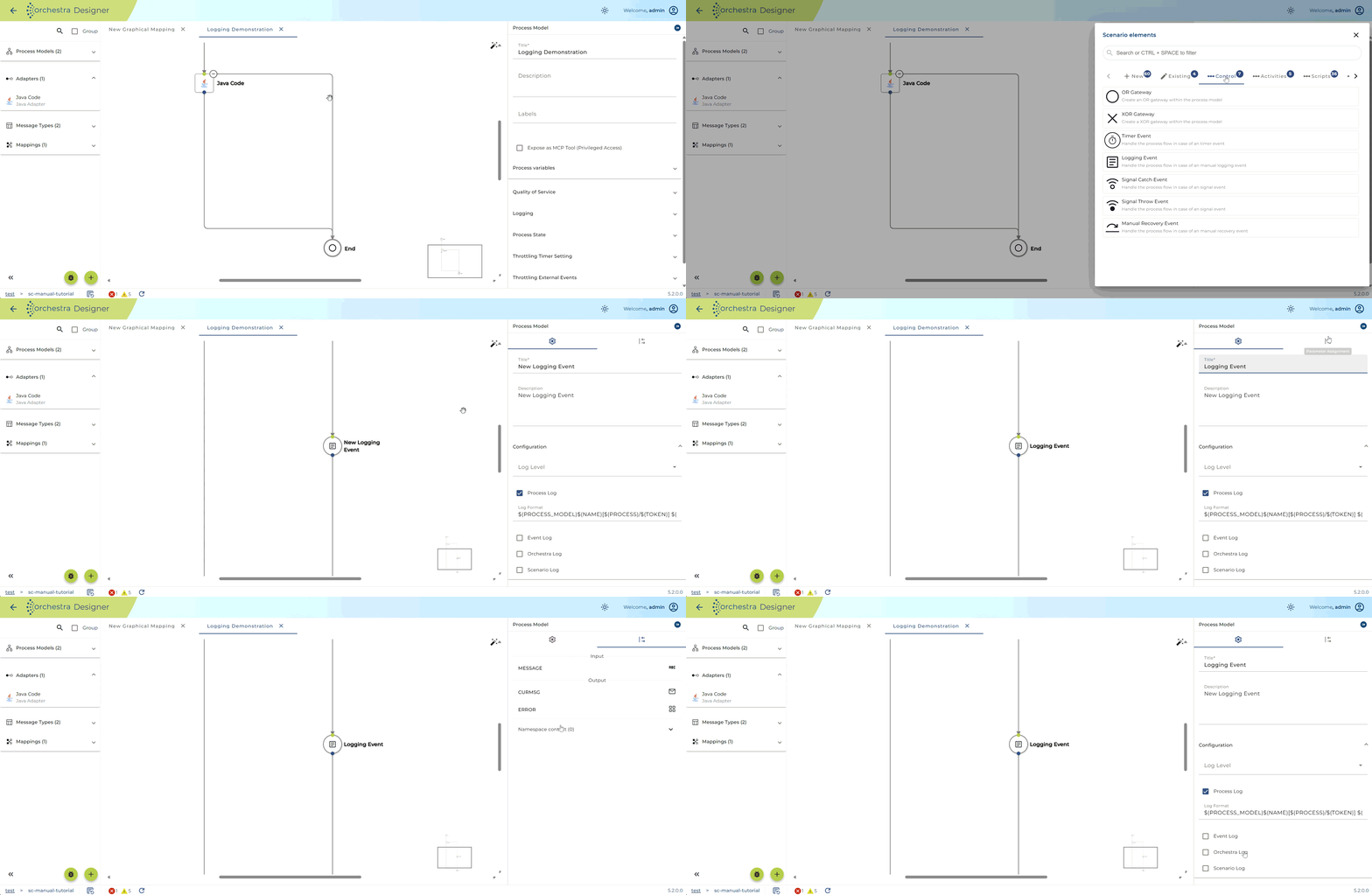
Logging events can be created like any other scenario element by either using the + button in the bottom left corner or directly in the process model. The logging event can be found under the Control category, or
you can search for it directly.
Setup
In the logging event you must choose one of the following three log levels:
- INFO
- WARNING
- SEVERE
In addition, you can enable/disable what other parts of information will be included in the event log:
| Setting | Description |
|---|---|
| Process Log | Select if process information (process id, execution time, process name, etc.) will be added to the log |
| Event Log | Select if event information (name, id, execution time) will be added to the log |
| Scenario Log | Select if scenario information (scenario id, scenario name, etc.) will be added to the log |
| Orchestra Log | Select if orchestra information (deployment information, instance, etc.) will be added to the log |
The format of the log can be edited in the log format section.